
Sales POP - Purveyors of Propserity
Pipeliner Arithmetica: This is Real Sales Performance Management

Pipeliner Arithmetica: This is Real Sales Performance Management

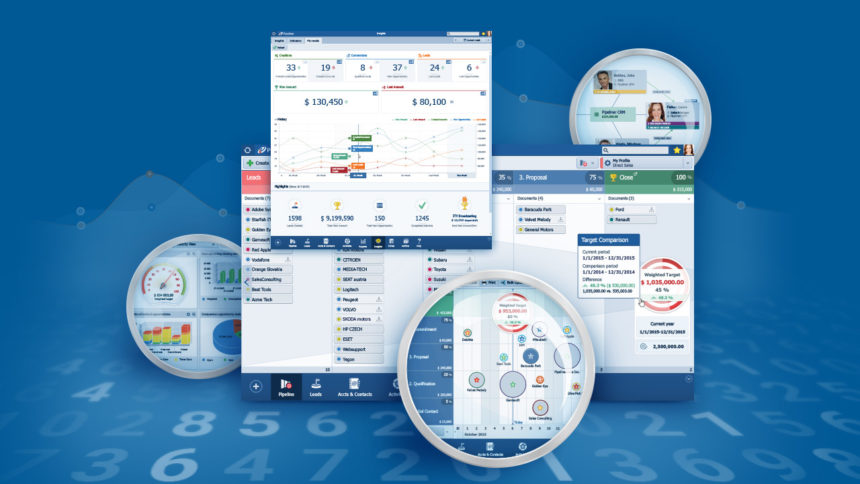
Introducing the latest Pipeliner CRM release: Arithmetica. With its biggest breakthrough yet, Pipeliner brings its unparalleled visual functionality to sales performance management.

The Crucial Need

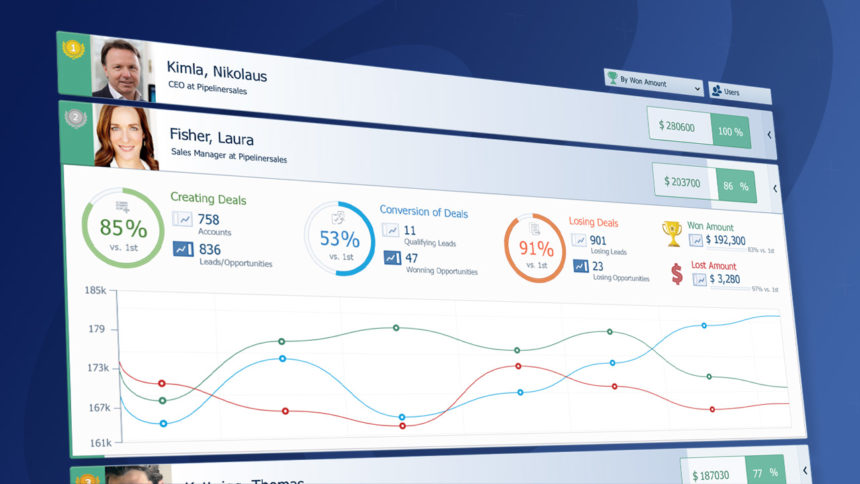
Efficient sales performance management has been a primary purpose of CRM solutions since the beginning. This has been for a very good reason. Sales managers—and even sales reps themselves—critically needed the facility to comprehensively yet easily view key performance indicators, compare reps one to the other, and view performance of overall team members.

Likewise, individual team members have needed ways they could evaluate their own performance and see how they were measuring up.

Unfortunately, traditional CRM solutions have rendered such functionality overly complex and unwieldy. There was no clear, rapid view into overall sales team or individual sales rep performance, and no way to quickly compare one to the other.

As with many aspects of CRM, this has now all changed with Pipeliner—greatly simplified and yet far more powerful.

Instant Views

Teams:

  • Select one or more pre-defined Key Performance Indicators (KPIs)
  • Utilize these KPIs to compare team members within a specific time period
  • Utilize “Click-to-Detail” functionality to focus in on a specific user and related KPIs.
  • Via click-to-detail, you can read the details of each user and their related KPIs Indicators
  • Toggle between user view (to compare users) and sales unit view (to compare sales units, teams or territories).
  • View the historical trend of a team

Individuals

  • Select one or more pre-defined KPIs
  • View “overview” stats for the individual, such as closed deals, revenue, or created leads
  • View the historical trend of a user


Other Breakthrough Features

Pipeliner Arithmetica brings other unparalleled visual functionality to CRM:

Multiple KPIs in Target View

Pipeliner’s Target Feature is already one of the most unique features in the CRM industry, consistently making visible the current target, right from the Pipeline View.

With Arithmetica, the target feature is expanded so that it can be used well beyond simply opportunity value. You can base the target on virtually any KPI based on numerically based counts.

You can also now compare one performance period with another, right within the target.

Bubble Chart View

Pipeliner’s unique Timeline feature has now been expanded into 3 dimensions: Opportunities arranged along the timeline are now visually sized based on value.

New Timeline functionality also includes the capacity to drag-and-drop an opportunity to change the pipeline stage, and to drag-and-drop an opportunity to change the opportunity closing date.

Enhanced Sync

Pipeliner offers the best of both worlds—online and offline—by making CRM fully available with or without internet connectivity.

In previous Pipeliner versions, updates from the cloud server to the user’s version needed to be performed manually. These will now happen automatically so that the user can simply continue working.

Other Improvements

As always, we’ve made many other improvements to greatly improve your Pipeliner CRM experience.

Why the Name?

Behind Pipeliner’s visual elements, and every one of its functions, lie carefully structured higher mathematical calculations, without which none of its functions would be possible.

With this new version, we have traced Pipeliner all the way back to its functional roots—and found ourselves in the 3rd century, with a work by the ancient Greek mathematician Diophantus, called Arithmetica. Mathematical scholars point to Arithmetica as the foundation of higher mathematics, and to Diophantus as the “Father of Algebra.”

The time has never been better to put Pipeliner CRM to work in your company. Try a free trial today!

Business Processes are Vitally Important—But When Should They Be Developed?

Business Processes are Vitally Important—But When Should They Be Developed?

Yes, business processes are crucial to company operation. A company functions far more efficiently with formalized processes. When a system guides you to the next best action there is much less chance to miss an action or a step, thus loose an opportunity. In fact, when a company has, for example, a defined sales process in place, the win rates tends to exceed 50% for 2/3 of those companies.

When to Develop

So when should you develop business processes? On the surface, it might seem wholly logical to fully think through and evolve entire business processes right at the beginning, when the business is starting up. It’s a bit like “know before you go,” having a plan before you dive in.

You then stick to these processes and utilize them as your business grows. Hopefully your processes were thought through and developed well enough that they work to bring the business to success.

This methodology can be seen today in some CRM applications. As part of CRM implementation, you fully define your sales processes and other applicable business processes (such as lead generation and marketing). You then utilize these fully developed processes going forward.

What could go wrong? Unfortunately, quite a bit. And yes, there is a far better way to go.

A Software Development Analogy

Fully planning out your business processes before you start, and then sticking to them hoping they will work, is a lot like the early Waterfall Development Model used in software development.

The Waterfall Development Model had all the basic planning done right at the beginning. It then flowed downward (like a waterfall) through initiation, analysis, design, construction, testing, production/implementation and maintenance.

More than 12 years ago, we at Pipeliner realized that the Waterfall model was a wrong concept. 10 years ago we began programming in what is called Scrum Methodology. This is a far more flexible method through which software is developed in iterations. Each iteration is tested, further coded, then incorporated, and so on. With such a method changes can be made to the original idea as needed.

The key is this: as you progress you will discover that there is a better way to do things. If all your planning has been done up front with no allowance for change, then you’re stuck with your original pattern even if it doesn’t really work for you. In programming, this can be a very expensive mistake.

Business Processes and CRM

The same is true for business processes. If everything is planned out up front, with little to no room left for change as you go along, you’re totally ignoring a crucial factor: business is a dynamic operation. It is living, it is changing. And if your processes aren’t designed to do the same, those changes will only cause you problems.

The primary process utilized within a CRM application is the sales process. Any company will have some idea of a sales process before they begin, and will sketch it out. But as they move through time, it will be discovered that there are missing steps in the sales process, as well as better and faster ways of selling. If your sales process within CRM is unchangeable or difficult to change, or if your company is reluctant to change, your sales reps will eventually just ignore that sales process—and eventually CRM.

The same is true for processes within the sales process—activities and tasks that get you through each stage of the sales process—as well as other processes such as marketing and customer maintenance. These must be capable of rapid change on the fly.

Seller and Buyer Interaction

Another factor that a fixed business process doesn’t take into account is that sales is not a 1-way street, but an interaction. A seller will do something, and will require an action from the buyer before the opportunity can move forward. For example, the seller sends the buyer a demo. The buyer should run the demo and provide positive feedback to it before being moved to the next stage of the process.

A sales process must take this interaction into account, and allow and plan for both sides of the activity.

The Pipeliner Difference

Pipeliner CRM was developed with dynamic processes in mind. Pipeliner is instantly adaptable to a company’s sales process—and can be changed within minutes on the fly when the need arises.

The same is true for all tasks and activities within a sales process stage: these are rapidly established and can be changed instantly on the fly as needs arise. These are based both on seller and buyer actions—and both are required for sale to move forward. We are the only CRM solution to take this critical factor into account.

Additionally, Pipeliner was one of the first CRM solutions to institute multiple pipelines (processes) because we know that companies often require more than one process. All pipelines share a common database so that opportunities can be moved wholly, with all information, from one to the other.

Leading and Lagging Indicators

Pipeliner also provides both leading and lagging indicators that allow you to constantly evaluate the effectiveness of your processes.

Lagging indicators—such as total sales, number of items sold, gross revenue and the like—show you the final result. Leading indicators, such as leads created, opportunities moved from one stage to the next, and activities accomplished, show you how well you are heading toward the establishment of your lagging indicators.

Being able to constantly monitor and evaluate processes allows a business to make changes immediately when they are needed, as opposed to the end of a sales period (a quarter or a year) when it is too late.

So when should you evolve your processes? Of course they start at the beginning. But in fact they continue to be developed and refined as time goes on. You must be able to change and evolve processes as the needs of your business change and evolve. There is no other way to go.

Find out how Pipeliner CRM incorporates and empowers your processes.  Get your free trial of Pipeliner CRM now.

Sales Management: Importance of Leading and Lagging Indicators

Sales Management: Importance of Leading and Lagging Indicators

Much of the time, sales management is conducted through what are called lagging indicators. These are KPIs (Key Performance Indicators) that show what has already happened after all is said and done.

Examples of lagging indicators:

  • Sales
    • # of units sold
  • Gross margin
    • # of different products sold
  • Market share
  • Gross revenue
    • # of deals won
    • # of deals lost

A clue to the problem with analyzing and managing only through lagging indicators is right there in the name: lagging. It means, “what has already happened.” By the time lagging indicators become clear, it is too late to change anything. That is why calculating risk only through lagging indicators is, itself, risky.

We certainly need lagging indicators—we need to be able to look back over time and see how we did. But in managing for the future, we need something that will show us how the activities we are engaging in now will impact our figures for the quarter or the year.

Leading Indicators

The other kind of KPIs are called leading indicators. Leading indicators are factors that can be monitored on a day-to-day basis, that give us an indication of how our lagging indicators are going to turn out.

Examples of leading indicators:

  • leads created
  • new leads into the pipeline
  • leads converted to opportunities
  • lead-to-opportunity conversion rate
  • sales rep closing ratio
  • team closing ratio
  • % of opportunities through each sales stage
  • opportunities proceeding within expected time frame

Combining Leading and Lagging

The combining of leading and lagging indicators give you a full picture of your operation. Moreover, the combination gives you a comprehensive look at your risk, and allows you to make changes to improve the scene before your lagging indicators come into effect.

You should be able to utilize your leading indicators to show how your lagging indicators are going to appear, if nothing changes between now and the time of your lagging indicators. For example, if you add up the value of your opportunities in the pipeline, the percentage chances of their making it through, the rankings of each deal, and other leading factors, you see that, if all goes according to plan, you’ll have $1.5 million for the quarter. If you add up all your leading indicators and see that you’re falling short of your target, you then have time to do something about it. For example:

  • Get more leads into the pipeline
  • Take steps to raise lead-to-opportunity conversion rates
  • Coach and mentor your reps to raise closing ratios
  • Make sure you have no unnecessary activities or tasks
  • Make sure all necessary activities and tasks are being done
  • Monitor your sales process to makes sure it is efficient

Tracking Leading and Lagging

Now, it’s one thing to decide what your leading and lagging indicators should be. It’s quite another to begin tracking them in such a way that you can actually use them to gain accurate sales performance insight, and skillfully manage.

For example, you could have all of your leading indicators arranged in a spreadsheet, and either have someone who is constantly updating it, or share it so that reps can update it with their own figures.

The basic issue with such an application—aside from the fact that someone can forget to update it—is that none of them present an instant, visual insight into how all of your leading indicators add up to your lagging indicators, moment to moment, day to day and week to week.

CRM Should Be—But It Isn’t

The traditional CRM approach has been more or less to ”track everything”—primarily the reps, their calls, their progress, their activities and so on. Reps entered their contact, account and activity data.

But what should a CRM solution really be? What should it show a company? The answer: Where sales has been, where they’re currently at, and where they’re going. In order for a CRM to do that, it must function with leading and lagging indicators, so it provides real insight.

No CRM has truly addressed this issue—until now.

Pipeliner CRM: It’s Built Right In

Pipeline View

Unlike any other CRM solution, leading and lagging indicators are instantly and visually displayed. It’s all right there before you, starting with the main Pipeline View.

Right here you can see how many leads are available, how many opportunities are in each stage of the pipeline, and how many are overdue (per the average length of time for each stage). Your primary leading indicators are right there.

Target

On the right-hand side, the target is always visible, showing your primary lagging indicators, and how they are affected by all the leading indicators as they now stand.

Archive

In Pipeliner, the most important lagging indicator is something not available in any other CRM: the Archive. The Pipeliner CRM Archive is arranged exactly the same as the active pipeline view. Leads and opportunities contain all information present when they were archived—including documents, emails, notes, social media interactions, tasks, and activities.

An in-depth analysis can be done right in the Archive of lost deals—with the same degree of detail that can be done with current opportunities. With Pipeliner’s new Multi-KPI feature, which is available both in the main Pipeline View and in the Archive, you can compare 2 different values (for example Revenue and Units Sold) or 2 different time periods. There has never been an analysis tool like the Pipeliner CRM Archive.

Pipeliner’s other features, such as filters, ranking, account view, and timeline all display leading and lagging indicators in various configurations, allowing you to instantly see how your leading indicators add up to your lagging indicators.

Sales Performance Insights

As you can see, it’s not just the indicators, but how they are displayed and used. And with Pipeliner, that view is about to gain another major improvement with its all-new feature called Sales Performance Insights. With Sales Performance Insights a sales leader or sales representative can see, at a glance, how various leading and lagging indicators have been combined so far for a sales unit, for reps as compared with other reps, and for territories as compared with others. Not only can reps be compared, but so can various indicators for those reps.

Leading indicators include items such as created leads/opportunities, created accounts, and won opportunities. Lagging indicators include won opportunities, lost opportunities, won amount and lost amount.

For overall sales management and for calculating risk, make sure you take both leading and lagging KPIs fully into account.

See how Pipeliner CRM incorporates both leading and lagging KPIs right into is functions.  Get your free trial of Pipeliner CRM now.

Pipeliner CRM for Manufacturing

Pipeliner CRM for Manufacturing

Tiger Coatings Aligns Sales and Marketing and Tames Document Chaos


About Tiger Coatings

Tiger Coatings fabricates powder coatings for a broad variety of applications: automotive, industrial, furniture, electronics, retail, appliances, and many more. A “powder coating” is applied as a free-flowing dry powder applied usually over metal, with numerous advantages over conventional liquid paint, including a hard finish that is more robust.

Tiger Coatings is a global company. The division of the company currently using Pipeliner CRM for manufacturing covers three industries in North America: architectural, lighting, and agriculture. The champion and power user of Pipeliner CRM within the company is Manny Mayer, the Architectural, Lighting. and Agriculture Product Manager, who brought Pipeliner into Tiger Coatings in 2011. There are 60 sales reps in this division on the Pipeliner system who report to Mayer.

CRM as Management Tool to Align Sales and Marketing

Mayer’s job description is an interesting one. “I literally work in between Sales and Marketing,” he says. “I tell Marketing what we need for these industries, and I tell Sales what opportunities we should go after — then I work with Sales to go after them. I establish contacts, assist with technical specifications, and get the products developed.”

Mayer uses Pipeliner to track sales in real time. “In my position, the most important thing is constant communication within the sales force,” Mayer comments. “Since I cover Canada through Mexico, you can’t always speak with 60 people and follow up with everything. So what I was really looking for was something like a Facebook feed, where sales reps input information. I have this running all day long, and can see where they go, if there’s any assistance they need, what exactly is discussed, and what our opportunities are. Pipeliner is real-time, so for me it’s much more relevant than having a report sent in once a week which I have to hover over for the next 3 days to decode.”

Another major issue that Pipeliner solves for Mayer is that of document management. Tiger Coatings runs an approval process to allow customers to purchase a particular product, and Mayer says that system used to be very chaotic. “I used to literally have a drawer full of paper with the testing that we’ve performed,” Mayer reports. “I need to keep it for many years in case something goes wrong. Now I just take all that testing data and upload it on Pipeliner. If there’s ever a problem I just go back and look it up.”

Mayer has been very pleased with Pipeliner’s development over the two years Tiger Coatings has been using it. He is especially happy with the auto-calculating fields in the latest version. He finds Pipeliner’s visual functionality useful, and he likes the way the visual features improve with each release.

Mayer is also very pleased with how responsive Pipeliner has been to any technical issues Tiger has encountered. Issues generally have been fixed by the next released version of the product. He points out that would never happen with a vendor such as Microsoft.

The Status Quo Had to Change

Mayer originally began searching for a “CRM for manufacturing” solution due to his frustration with their previous contact management system. The software was not Cloud-based and was therefore installed only locally on sales reps’ laptops. Mayer had no access to these individual installations and therefore no efficient way to track the sales in his territory; he had to rely on weekly written reports from each salesperson.

One major liability was that if a sales rep left the company, the rep would delete the sales data, and there would be no way to regain that information. Not being Cloud-based also meant that each laptop had to be constantly backed up in case of a hard drive crash.

Mayer was also dissatisfied with the user interface and was constantly struggling with it.

Evaluating Pipeliner CRM

When Mayer went looking for a CRM solution, he brought Pipeliner in for consideration, and tried it along with other CRM options.

The company was using SAP, so they considered a SAP CRM but it was too expensive for them. They also tried out the latest version of their previous CRM software, but Mayer found that even the latest version didn’t have the functionality they really required.

Another factor that contributed to the decision was that the Pipeliner sales rep provided a trial version that completely fit their model, including a trial database. “I think that was very helpful,” Mayer says. “It’s one thing to go on a vendor’s website and see some generic database for a business which has nothing to do with us. Our demo was modeled for Tiger.”

The final decision to purchase was made by the company’s VP Sales & Marketing North America, based on the fact that Pipeliner operated in the Cloud and the fact that the price was right.

From the IT side Pipeliner was evaluated by Tyler DeHeer, Tiger Coatings’ Network Administrator North America. He needed to answer such questions as: Would the product be stable on their platform? Would their hardware support it? He reports that it was an easy evaluation, aside from having to educate himself on the Adobe AIR platform (on which Pipeliner is based). From his standpoint the evaluation was simple.

Training and Rollout

The initial training on Pipeliner was accomplished in a single day. The training was conducted by the Pipeliner sales rep, who trained the reps as part of their yearly sales meeting. For all but the very technically challenged salespeople, training was and continues to be very easy and takes a day at most.

From the IT side, DeHeer reported that rolling out Pipeliner was extremely easy. He did have a frustrating issue with the porting of legacy database data, but he blamed that on the way that Act! data was formatted; it was impossible to port. In the end they decided to not even try—they just began with a clean slate.

Easy, Intuitive Administration

In addition to the painless rollout, DeHeer reports that administration of Pipeliner in its current version, is very easy. “I really appreciate the ability to create roles,” he said. “I can subdivide users by job requirement. If somebody only needs to see accounts and not see opportunities per se, it’s not a problem.”

“We’ve also got other departments, not just Sales, in Pipeliner at this point, such as people in Customer Support. Pipeliner accounts are set up for them where they’re only able to view data; they’re not able to change anything and they’re not able to see opportunities—basically reducing the risk that they’re going to mess something up.”

Summing Up

“I would recommend Pipeliner to others for sure,” Manny says. “A good CRM is essential for any business. For me, I like Pipeliner the best.”

Pipeliner Adds 40+ Enhancements, Updates, and Features

Pipeliner Adds 40+ Enhancements, Updates, and Features

Pipeliner has another major release this week, with new features, product enhancements, and engineering upgrades to make your Pipeliner workflow more customized, faster, and more productive.

Here’s what’s happening now at Pipeliner CRM:

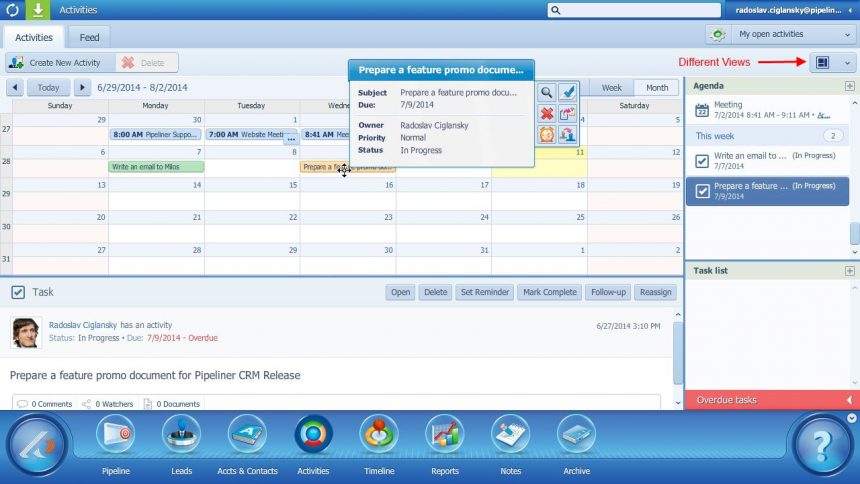
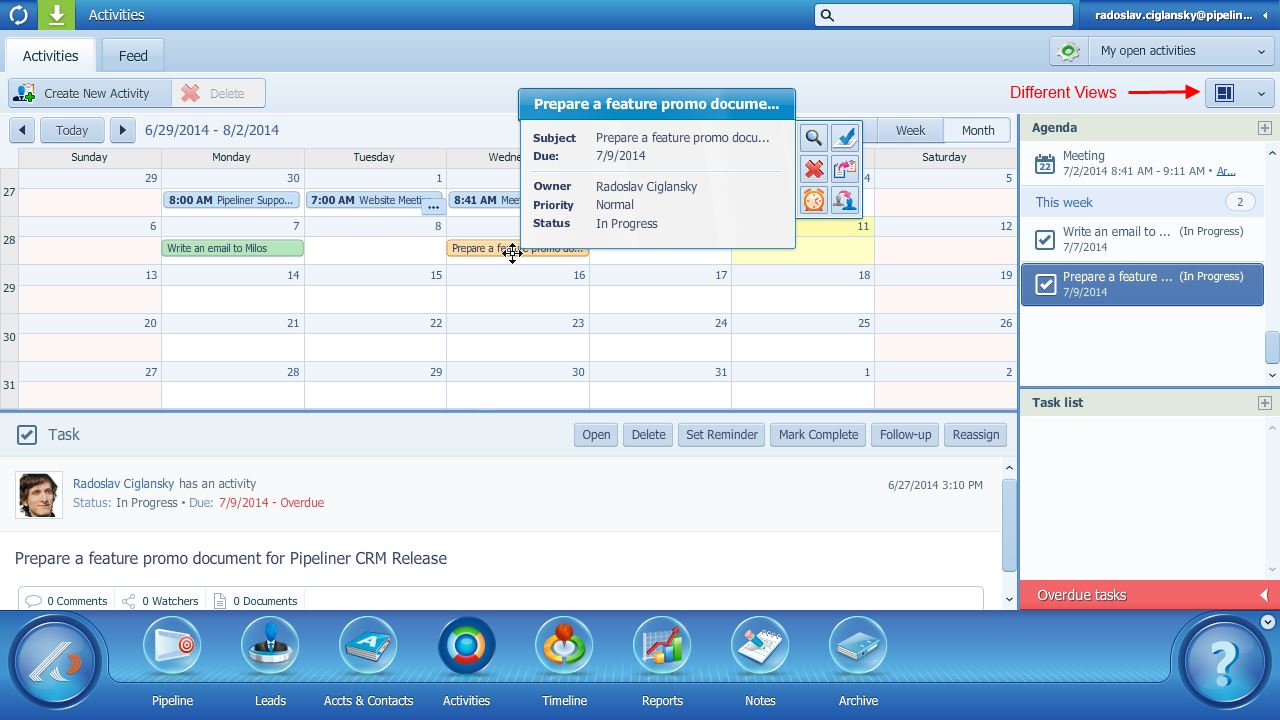
Your New Pipeliner Calendar

Get exactly the calendar you need! We integrate with both Google and Outlook Calendars. There’s a fresh new calendar look and new calendar features including an agenda view, activity extract, and support for 5 different layouts.

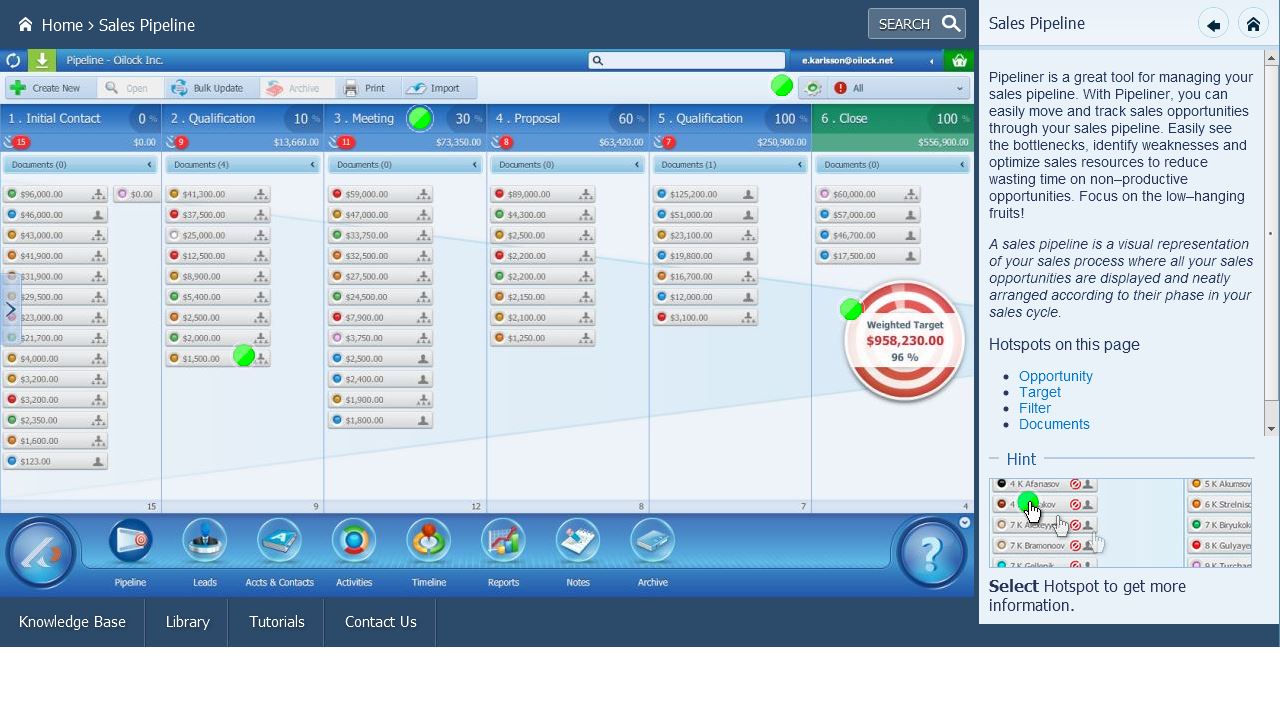
On-Screen Help: Informational “Hotspots”

In-product “explainers” remind you how things work. Simply click on a hotspot and read its related detailed description. A new Search capability too — we show you the hotspots that answer your search request.

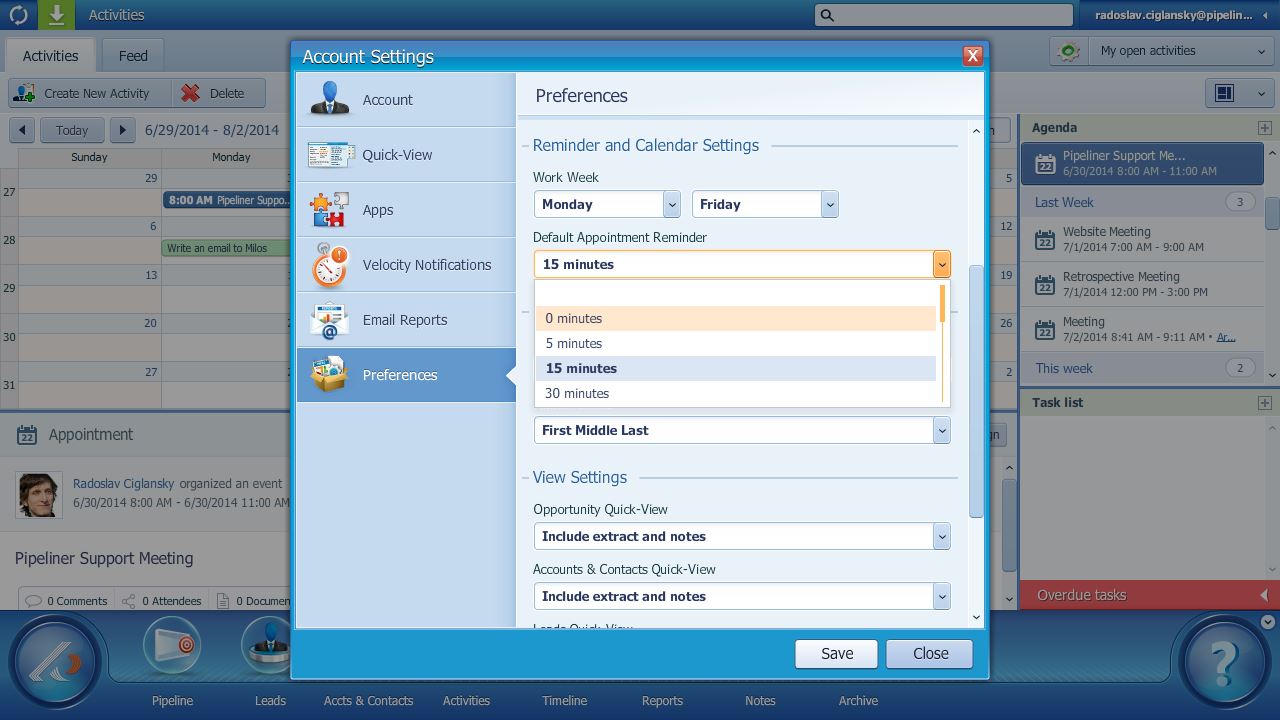
More Options With Reminders

We bring you more usability options for reminders, such as: shared reminders on the appointment level, more “snooze” time, and a “snoozed” reminder.

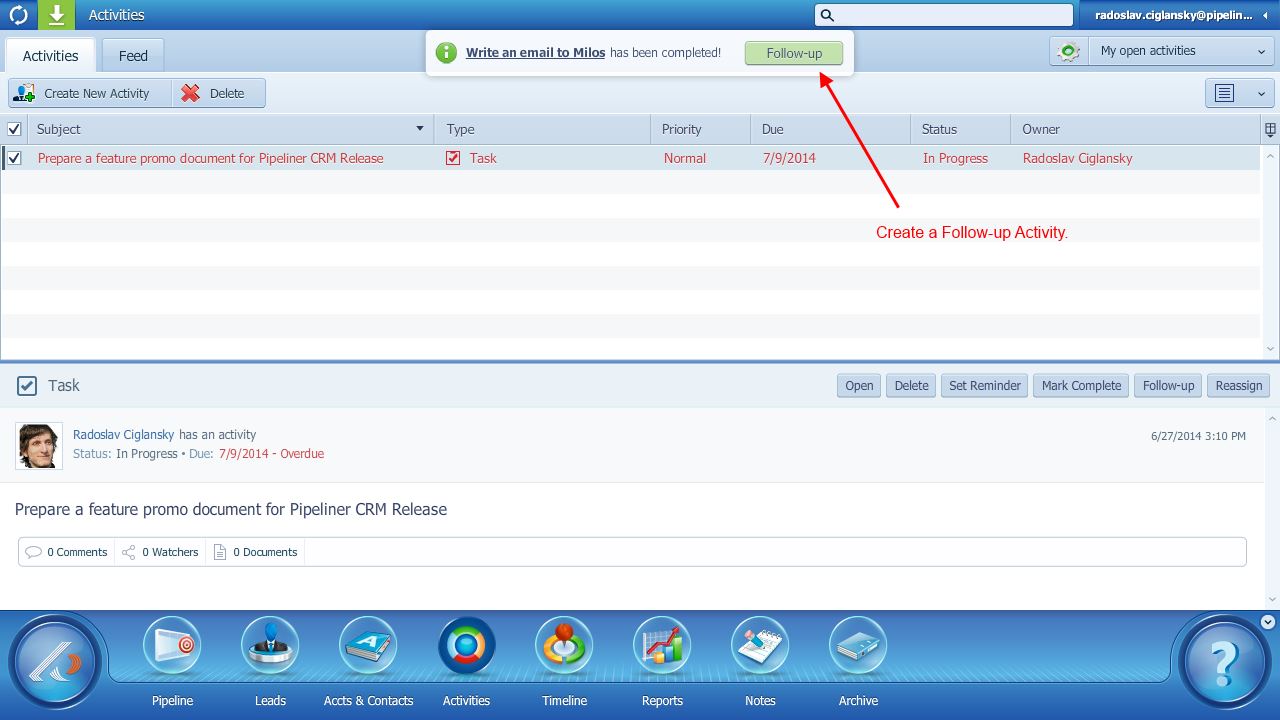
Follow Up with Efficiency

 Easily create follow-up activities for your tasks and meetings.

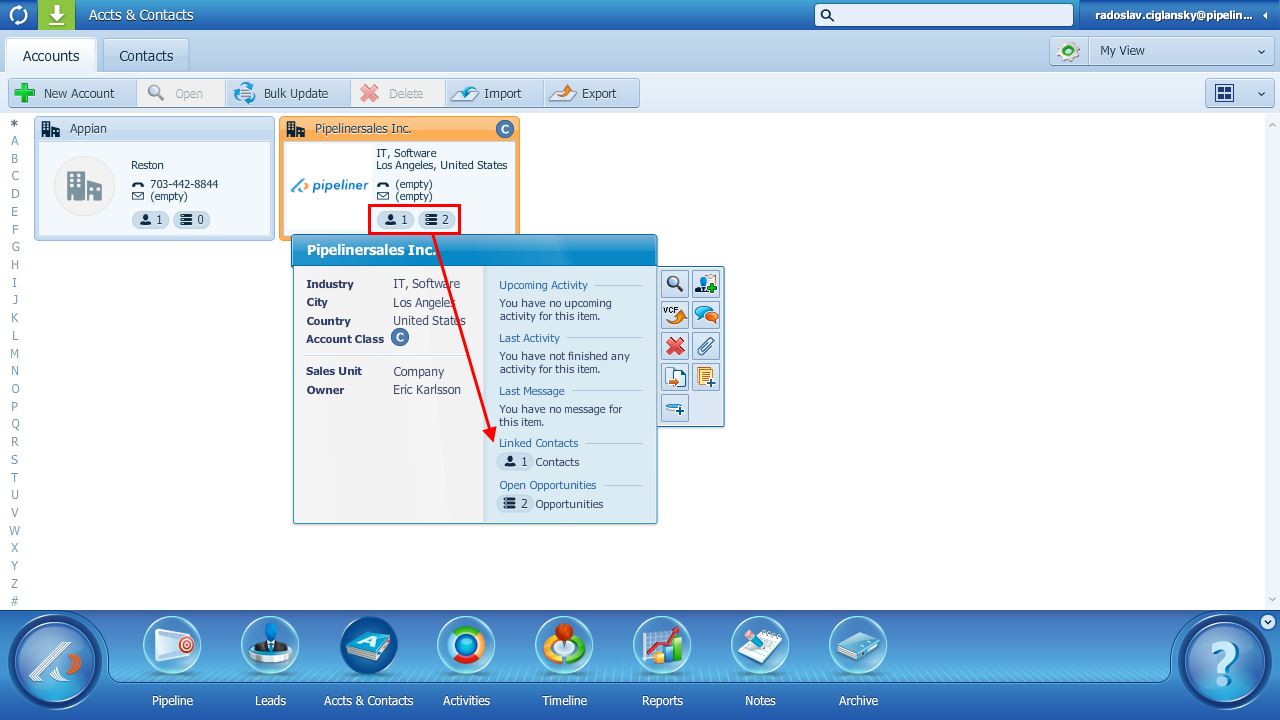
Instant Read on Contact/Account “Value”

We now show you the number of opportunities and contacts associated with every person. The higher the number, the more opportunity exists! Another “at-a-glance” way to show you context around your deals.

Duplication Warning

Entering a new contact? We scan your database and alert you to possible duplicates.

Integrations

With this most recent release, we’ve added Box.com. Box.com is a free service that allows you to store files in the Cloud so you can easily share them with others and access them from anywhere. With the Box for Pipeliner app, you can attach files to any lead, opportunity, contact, or account. Teams are then able to share and collaborate, and connect best practices to any stage in the sales process.

Our tight Gmail integration connects your Pipeliner and Gmail accounts. Now you can track your emails and your communication history in Pipeliner.

We’re also joining the Google Marketplace!

Social Selling Enhancements

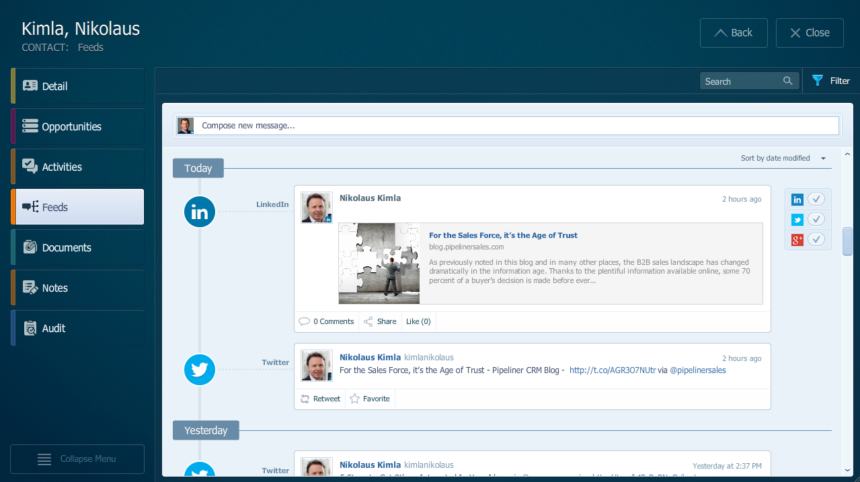
Improvements include: auto-refresh of the feed entries, better quality photos, and social feed now appear within opportunities and leads based on related accounts/contacts.

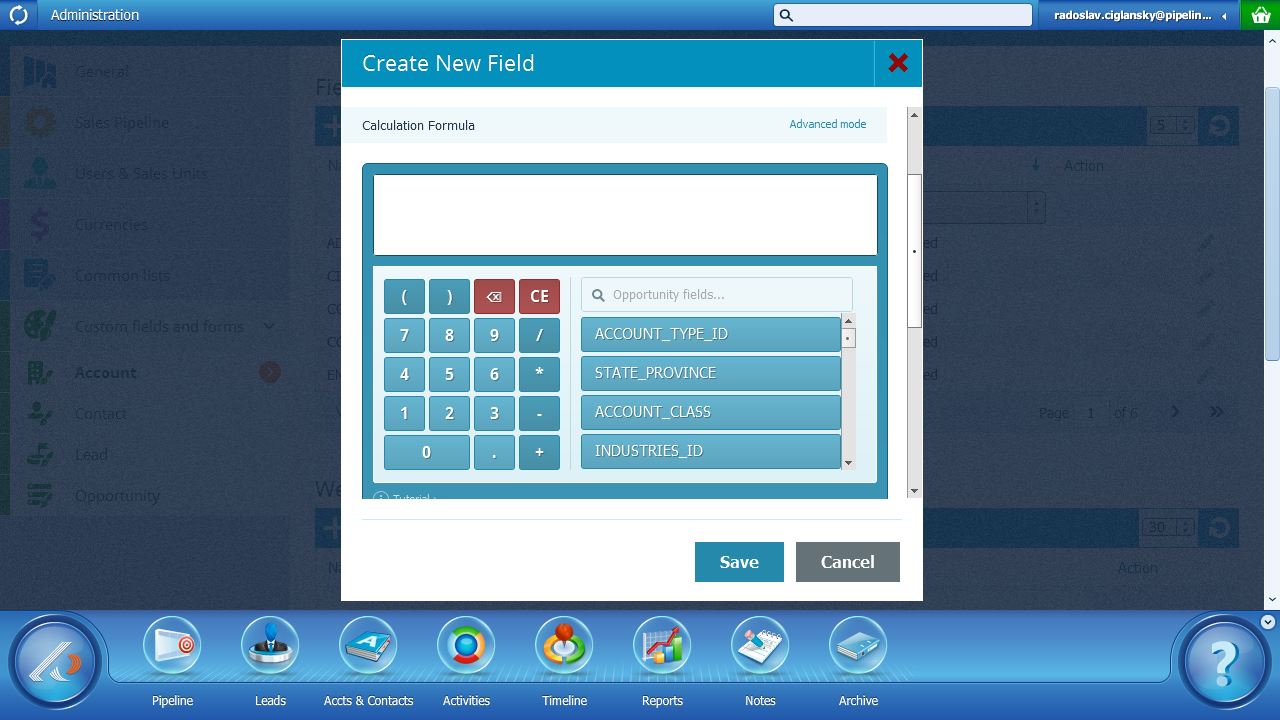
Built-In Calculator, Custom Views, and Lots More!

You now have a built-in calculator when you’re building lead scoring fields. The automatic, built-in interface scores the viability of any prospect, lead, or opportunity — plus auto-calculations for use cases like interest and taxes.

You are able to customize columns (up to 4 across) for any view

And more!

  • Export data optimization
  • Calculated fields update
  • Importing efficiencies
  • Purchase Wizard update

You can read more about our recent product updates on our What’s New page. As always, we look forward to hearing your thoughts and feedback on Pipeliner CRM. We act on your requests, so we like to know how everything is working for you.

Get your free trial of Pipeliner CRM now.

Pipeliner CRM Adds More than 20 Features and Product Enhancements

Pipeliner CRM Adds More than 20 Features and Product Enhancements

As any Sales Manager knows, most sales forecasting is a mishmash of guesses, unfounded optimism, and outright pipeline stuffing.  And yet, in virtually any size organization, the pipeline is the lifeblood of future revenues, profits, and growth. So it’s science—not guesswork—that should drive decisions.

Setting the Stage for Our Big News

Pipeliner CRM brings sanity to this broken process by creating a system focused on visual representation of the sales pipeline—because understanding the pipeline is the key aspect to understanding any sales activity.

To quote our CEO, Nikolaus Kimla:

This kind of graphical interface is ours alone in CRM—a proprietary feature that grew from the idea that a powerful picture trumps any tabular dataset.

And he should know. (more…)

Pipeliner CRM Press Releases – April 2014

Pipeliner CRM Press Releases – April 2014

It was a cloudy month for Pipelinersales – as we took a closer look at the cloud computing technology and defined five most important financial advantages it might bring to you.

April marked the very first GO AHEAD! power breakfast in the United States, addressing principles of returning responsible and entrepreneurial thinking to the individual salesperson. We try our best to provide valuable insight into the world of business and sales that is why we are also expanding our team with Social Selling, Marketing Experts – Alyson Button Stone and Rachel Miller, who have joined as Content Director.

Here is a quick overview of recent press releases: (more…)

Pipeliner CRM Press Releases – March 2014

Pipeliner CRM Press Releases – March 2014

March is a month of growth for the most part. And we are growing too…

The latest e-book release “Fully Maximizing ROI for Your CRM Solution” marks more than fifty of our free educational e-books and continues Pipelinersales’ commitment to provide not only an exceptional CRM tool, but training and education for salespeople and entrepreneurs. We have released several e-books, white papers, and articles, and we are now proud to announce our integration with GO AHEAD! as our extended content and educational platform.
We are also very excited to join forces with best selling author John Golden to grow additional services to our customers and empower them to get the full benefits from their sales pipelines.

Here is a quick overview of recent press releases: (more…)

This website uses cookies. By continuing to use this website you are giving consent to cookies being used. For information on cookies and how you can disable them, visit our privacy and cookie policy.