



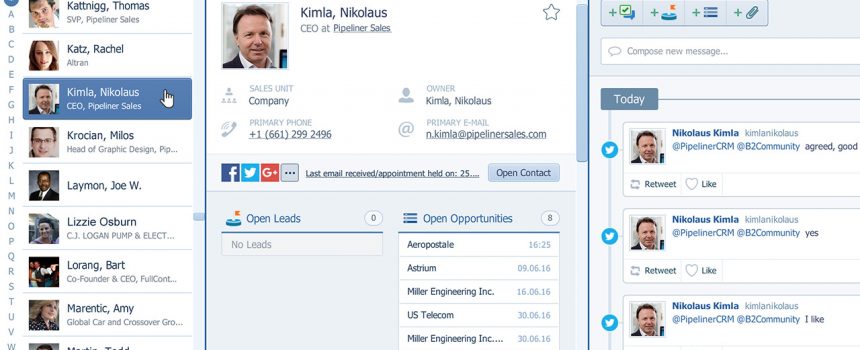
Contact management software is critical to the operation of any sales organization.
It is a new age of sales. The sales force are digging in and really find out about their prospects and their barriers, needs and wants.
This approach also greatly affects contact management, and the choice of a usable contact management software. Being able to follow the sales process and the buyer persona also means that contact management software must, above all, be flexible. Let me explain…
 Why to Use Contact Management Software For Sales
A contact management software is a software that enables you to track all the information and communication activities linked to your contacts during your sales process. It enables you to store and find contact information, related sales documents, active opportunities and associated activities.
Moreover, contact management software must reflects your buyer persona. There must be enough information that anyone picking up the phone to call a particular contact can quickly grasp who that person is, their function, and any data gathered so far about that person by others. When a salesperson gets through to the contact, they have to be able to speak with confidence and push the sale along to the next step of the sales process.
Last but not least, your contact management software should help you to understand your prospects buying cycle i.e. illustrates relations between people within an organization.
3 Benefits of Using Coevera as Your Contact Management Software
Coevera integrates flexible contact management tools for sales teams that enable you to:
- take detailed notes on each contact,
- share insights with your sales team,
- set up alerts, delegate tasks and schedule meetings,
- and keeps all of your contact data up to date and accessible from wherever you work.

In order to access your contacts in Coevera, please run Coevera CRM for Windows or Mac and then click the “Relations” icon within the main menu. Within the relations window you can manage your accounts and contacts and track all your customer interactions.
Here are the 3 main benefits of using Coevera for your managing your contacts:
#1: Manage Contacts under Accounts (Companies)
Each contact in Coevera should belong to an account. An account is a customer, the individual or company, your are working on a lead or opportunity with. If you work as an account manager, you can better farm new opportunities, renew business from existing customers and drive loyalty more effectively.
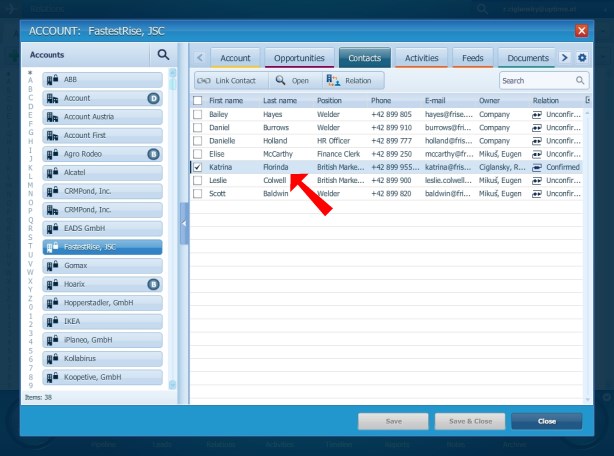
Using the Coevera account management feature, you can to identify and record your customer’s business drivers, understand your customer’s potential value, find influencers and identify decision makers inside the buyer’s organization
#2: Bring Your Values to Contact Form
Coevera lets you replace fields that you are no longer using with those that make sense to you and your business context. Create custom fields with support for URLs, pick-lists, check-boxes and much more. Customize contact form with the drag & drop visual layout designer in seconds.
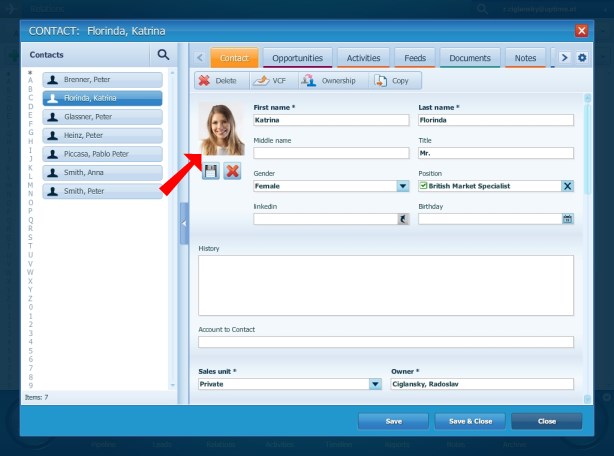
The freedom to configure and customize all data entry aspects of Coevera gives you unprecedented flexibility, improves your ability to boost sales force performance.
Octfolio asbestos software automatically detects and notifies users about how to manage high-risk environments to ensure high-quality compliance monitoring.
#3: Manage Your Contacts in Outlook
The Coevera CRM Outlook client makes it easy to sync your contacts from Coevera relations box to Outlook contacts. Track and update contact profiles and activity data is always kept up to date, making it easy to manage contacts and share up to date information with your sales team.

In order to use Coevera with you Outlook client, you need to download and install Coevera Outlook Add-In first.
Coevera as your Contact Management System?
Coevera provides real-time access to your contact information, it enables you to share and collaborate on your customers main data with your sales team and lets you manage your client database in a very unique way. Why do not give it try? Try Coevera as contact management software now.
How does the Coevera work for you as Contact Management Software? Why not let us know by leaving a comment below.