


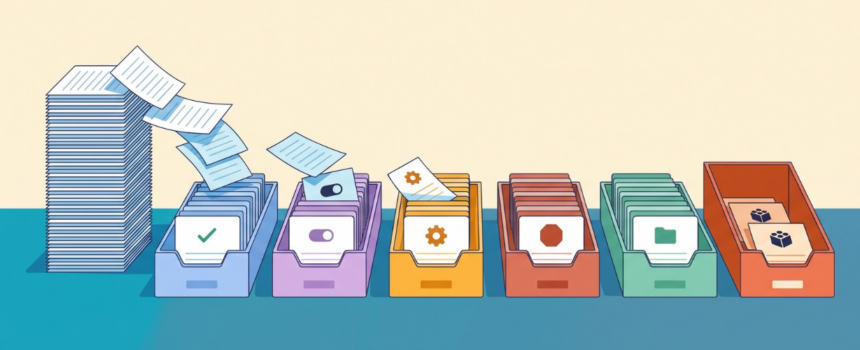
Often fewer than the request list suggests. Before anyone designs a new object or prices a CRM customization project, sort every request into one of six verdicts, because only one of them is a real build.
In one documented requirements exercise, this step showed that 11 of roughly 44 requests were features the customer already had, licensed and switched off. That was an admin session, not a development project.
Why do CRM change requests get so expensive?
In the exercise below, not one request described a problem. Each arrived as a ready-made solution: “we need a tile on the dashboard,” “we need a new module for permits.”
Faced with that list, both sides tend to start designing at once. Before anyone has checked what the platform already does, the analysis has become a development quote.
That costs twice. Budget meant for real gaps gets spent building things that only needed switching on. Then the customer discovers the feature was there all along, and whoever quoted the build loses credibility that is hard to win back.
How do you decide what actually needs building?
Coevera (formerly Pipeliner CRM) documents the method in an implementation blueprint. Nobody estimates anything until each request has exactly one of six verdicts:
- Live: the feature is already active, and people don’t know it. That makes it a training job, not a build.
- Toggle: ships with the product but is switched off. An administrator owns it.
- Config: achievable with automation, custom fields, reports or checklists.
- Build: new schema, a new relation or an integration. Only this one is a modelling job.
- Limit: the platform can’t do it. Reframe the request around something that does exist.
- Non-product: a policy, commercial or internal-tooling question that has ended up on the CRM list.
Each verdict also names an owner, which turns a sorted list into a work plan.
Checking for toggles takes minutes. Every Coevera customer system has a feature switchboard: a list of its features and integrations, each marked on or off. In the system examined, it held roughly 107 records. Match each request to a row, and call it a build only when no row covers it.
When the verdict is Build, there are four places the data can go, from cheapest to most expensive: a field on an existing record, a sub-type of an existing record, a related child record, or a new custom entity. The deciding question is short. Does this thing get listed, filtered and reported on by itself, and does it have a life of its own? A site inspection does. It has a date, an inspector and an outcome, and someone will want a list of overdue ones. A distributor tier does not. It describes an account.
What it looked like in one real exercise
Six departments were interviewed separately. Between them they produced around 44 distinct requests, from site inspections to reporting by region.
Sorting them first changed the picture:
- 11 requests were switches. The features were present and licensed in the customer’s own system and simply turned off. Nine of those matched something in the meeting notes.
- 16 features were already active and had never been shown to the customer.
- Three requests had one cause. Reporting on event invitees, reporting on who was actually met, and attendance-based suggestions looked like three builds. They all hit the same wall: events had no direct link to contacts. Building that one relation made all three reportable.
- Four items could not be scoped because the meeting notes were too ambiguous to interpret. They were listed as open questions instead of guesses.
The delivery order then follows from the verdicts. Unblock anyone stuck today. Show the customer what they already own. Switch on and configure what is ready. Only then quote the builds that are left, as a much shorter list. Hand non-product items to whoever actually owns them.
When does this approach fall short?
Switched off doesn’t always mean free. The on/off flag can’t tell you whether an administrator can turn a feature on today or whether licensing holds it back. Check with the vendor’s product team before you promise anyone a quick win.
Some things cannot be built at any price. Some platform objects are fixed in shape and accept no extra fields. In the exercise, there was also no quiz or learning-management capability in the platform, so onboarding assessments had to be reframed as a services-delivered guide or a third-party tool.
Custom entities are expensive to own, and not every Coevera edition includes them. Each one is another form to maintain, another set of permissions to get right, and another entry in the create menu. That cost is usually left out of the estimate.
Key takeaways
- Sort every CRM request into one of six verdicts before anyone estimates anything.
- Check what is already licensed and switched off first. In one exercise that was 11 of roughly 44 requests.
- Look for clusters. Several requests often share one missing link.
- Confirm licensing before you call a switch a free quick win.
- Choose a custom entity only when the thing has a life of its own.
The full blueprint, with the configuration details, lookup-field traps and verification checklist, is on Coevera Blueprints: How do you model something your CRM has no object for?




Comments