




Great news for everyone, Auto-update, Background Synchronization and other cool features have arrived!
We know how important it is for you to have all of your data and system up-to-date and in sync. We are thrilled to release New Coevera 5.2 that includes Background Synchronization!
Coevera 5.2 includes the following great features:
- Background Synchronization
- Software Auto-update
- Sharing Saved Profiles
- Improved MS Office 365 Integration
- Enhanced Management Reports
- Improved Synchronization Performance
Coevera Synchronization Capabilities
Coevera CRM enables you to sync your data over the secured cloud environment using traditional “Manual Synchronization” and brand-new “Automatic Background Synchronization.”
- Manual Synchronization: This is still an option and works as it did previously. You need to just hit the synchronization button on the top-left part of the Coevera application. You can use manual synchronization at any time and it does not influence the way the automatic synchronization works. Just hit the button, and you are done.
- Background Synchronization needs to be turned on initially. In order to turn it on, you just need to hit the synchronization button on the top-left part of the Coevera application and then click the “On” slider. Once you activate the background synchronization, you can set the period of time for how often you prefer the automatic synchronization to be performed. Please note: You can still synchronize Coevera manually at any-time.
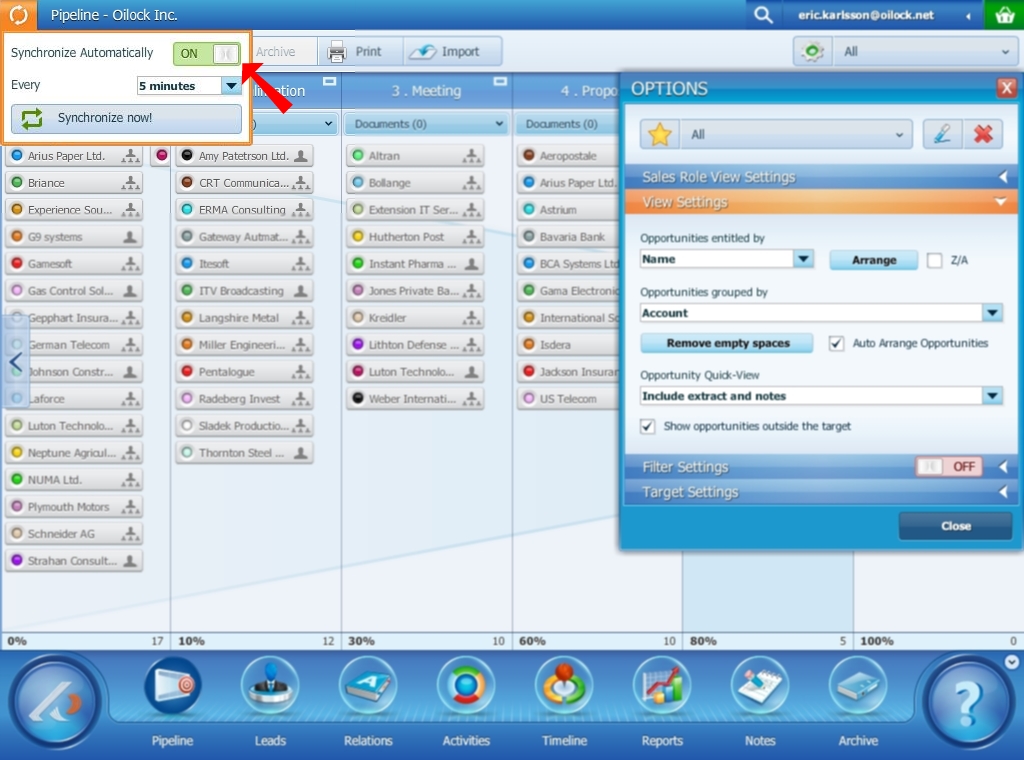
Here are the ways you can get Coevera Background Synchronization:
- Get your free trial of Coevera.
- Request an email invite to receive Coevera Background Synchronization.
If you are already a Coevera enthusiasts, just click the button below to sign up to become a Coevera Background Synchronization Users:

Coevera Auto-update
Coevera now informs you that the new version is available for download via the information windows that pop-up on your computer. This allows all users to stay up-to-date with the CRM software application itself.
Sharing Saved Profiles
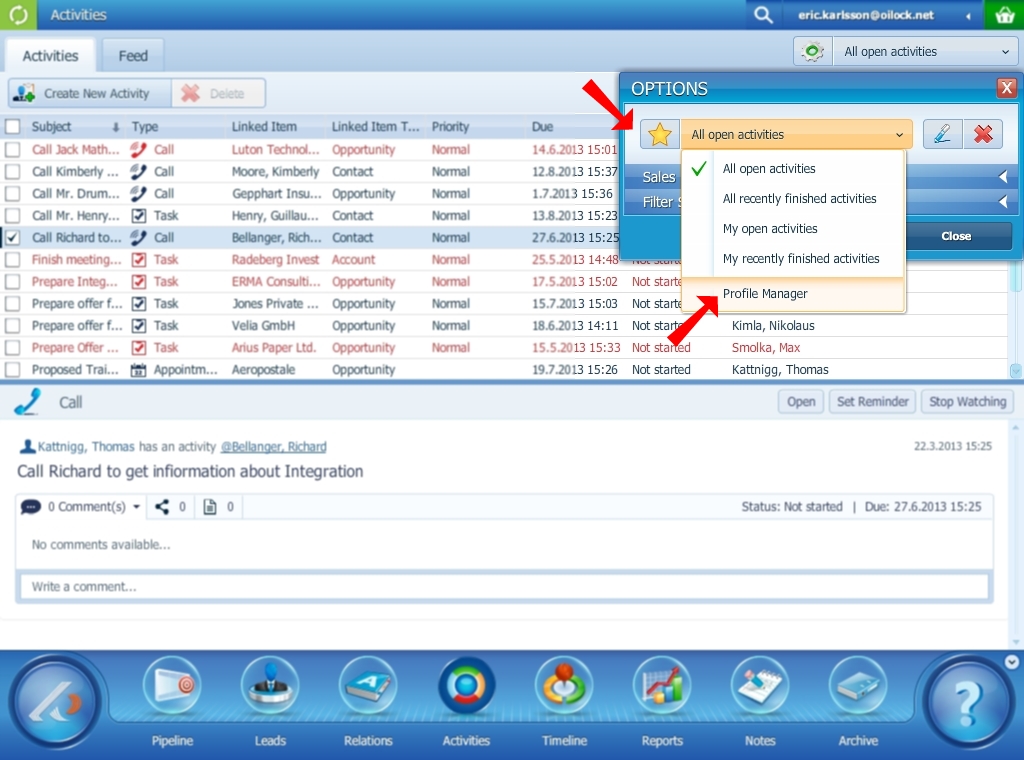
Using Coevera profiles features is very useful as you can easily configure your management report and save it for future use. New Coevera 5.2 lets you share these profiles with your sales team!
- Manager can set the sales rep’s pipeline settings over his Coevera.
- The sales team members can share their settings with everybody in a team.
- Manager can create a report on his Coevera, save it as a profile and share it with your colleague just over the Coevera. There is no more of a need for PDF sending.
Get your free trial of Coevera now.
Warm Regards,
Nikolaus Kimla
CEO
www.pipelinesales.com