



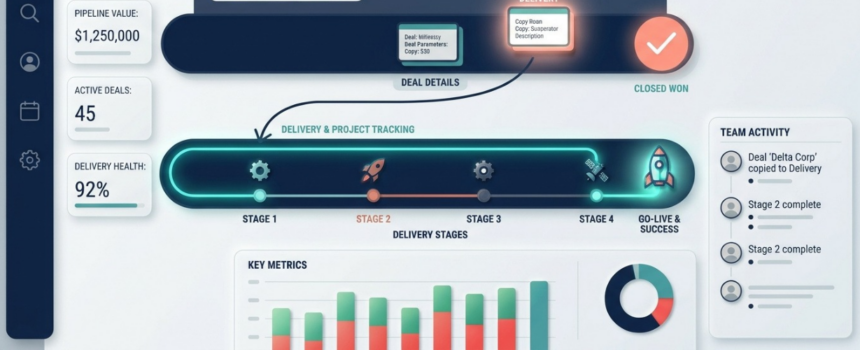
For a clean sales to delivery handover, give delivery its own pipeline, and copy the won deal into it, but only when the deal contains something to deliver. Do not add delivery stages to the end of the sales pipeline. One record that moves through two lifecycles distorts the sales cycle, conversion rate and weighted forecast at the same time. For example, a deal closed in March and live in July would show a four-month sales cycle. A deal closes. Now someone has to set up, configure, migrate or train before the customer gets value. The people who do that work are usually not the people who sold the deal.
Where does the sales to delivery handover usually go wrong?
In many companies the handover is a conversation, a chat message, and a spreadsheet the delivery team keeps for itself. The deal notes rarely say what delivery needs to know. Nobody agrees on the start date, because “won” and “ready to start” are different events, often separated by an invoice. The result: nobody can say how many customers are in implementation right now, or which ones are late. Support learns a customer went live when the first ticket arrives.
Why not just add delivery stages to the sales pipeline?
It is the first idea, because the deal record already exists. You add stages after Won: Setup, Training, Delivered. But a pipeline measures one lifecycle, and now it carries two:
- Sales cycle now includes delivery time. A deal closed in March and live in July shows a four-month cycle that no salesperson influenced.
- Conversion rate loses its meaning, because records leave the pipeline for delivery reasons.
- Weighted forecast counts signed revenue as if it were still being won.
- Stage aging fills with deals that are not stuck, just being delivered.
What does a separate delivery pipeline look like?
In Coevera (formerly Pipeliner CRM), each opportunity type belongs to exactly one pipeline. So a delivery pipeline is also a new type, with its own stages, owner and fields. The production build in the blueprint uses four stages:
- Waiting for payment / intro
- Setup in progress
- User training, system live
- Services delivered
The first stage matters. It keeps work the team cannot start yet out of the active queue. The copy is also conditional: a pure license renewal with nothing to deliver never reaches the delivery team. The copy starts when the deal is marked won and contains something to deliver. It creates the delivery record at the first stage, copies the main fields, fills in quantities for each service from the products sold, and sends the customer a confirmation. Why copy and not move the record? If you move it, the sales pipeline loses the deal it closed, and past sales reports change after the fact.
What it looked like in one production build
When a project goes live, several things must happen. The production build writes each one as its own process, so each can be read, switched off and run again on its own:
- copy the go-live date to the account and calculate the onboarding end date
- set the training deadline, with different rules for a project and for a block of consulting hours
- tell support what was implemented when the stage becomes “system live”
- the day after go-live, notify the owner and create a follow-up task
The production build pairs the go-live date process with a manual twin: a manual copy of the same process that a person can start. The blueprint recommends a manual twin for every automatic process that sets a field value, because go-live dates move and a process that fires on a change cannot be replayed.
When does this approach fall short?
- A copy is a snapshot. After the copy, both records keep changing, and nothing in the platform keeps them aligned. The production build runs backfill jobs in both directions between the delivery record and the account. A daily job fills in the customer portal link on delivery records from the account. A manual job copies the go-live date from the account back to the delivery record. Write them at the same time as the copy.
- Products may not be on the deal yet. If someone marks the deal won before adding the line items, the delivery record arrives with empty quantities and no error. A saved view of records with empty quantities finds every case.
- There is no built-in “convert to project”. The copy is an automation and a field mapping you maintain. When the sales form gets a new field, you update the mapping.
- Questions that span both pipelines need extra work, for example “how long from won to live?”. Copying the go-live date to the account makes the common version easier to answer.
Key takeaways
- Give delivery its own pipeline. Do not extend the sales pipeline.
- Copy the deal only when it contains something to deliver.
- Use a first stage for “won but not ready to start”.
- Write each go-live step as its own process, with a manual twin.
- Build the backfill jobs together with the copy.
Frequently asked questions
The full field list, process design and verification checklist are in the Coevera Blueprint How do you hand a won deal over to the team that delivers it?
HANDING DEALS TO A DELIVERY TEAM?
Map your handover with us
We can walk through how a delivery pipeline, a conditional copy and go-live processes fit the way your team delivers.




Comments